Spatial 3D Display: Technical Explainer
An objective, technical explainer on spatial 3D display systems, covering the autostereoscopic architecture, eye tracking, content compatibility considerations, and workflow fit for professional review teams.
Spatial 3D Display: Technical Explainer
A spatial 3D display is a monitor-class screen that presents stereoscopic depth to a viewer without requiring glasses, headsets, or head-mounted optics. It belongs to the broader glasses-free 3D display family and is designed to bring real depth perception into a desktop or shared review environment rather than a VR headset workflow.
This explainer focuses on how spatial 3D displays work at a technical level, what kinds of content they handle well, and where the tradeoffs appear for professional teams evaluating the category.

Spatial 3D displays deliver glasses-free stereoscopic depth within a monitor-style workflow.
What is a spatial 3D display?
A spatial 3D display is a panel-based display system that delivers separate left-eye and right-eye views so the viewer perceives volumetric depth from a fixed viewing position. The defining characteristics are:
- Glasses-free viewing. No polarized, active-shutter, or anaglyph glasses are required.
- Monitor-style workflow. The display sits on a desk or workstation, not on the viewer’s head.
- Stereoscopic depth, not holography. The viewer sees parallax-correct 3D, not a true light-field reconstruction or holographic projection.
- Single or limited viewer sweet spot. The 3D effect is strongest within a defined viewing zone, which is typically managed with eye tracking.
The category overlaps with autostereoscopic display technology. A spatial 3D display is, in practice, a productized form of autostereoscopic display tuned for review workflows rather than signage or retail. For a broader definition, see the Autostereoscopic Display: Technical Explainer and the Autostereoscopy: Technical Explainer.
How spatial 3D display works: the technical stack
A spatial 3D display combines several layers. Each one matters when you evaluate build quality and intended use case.
Display panel
At the core is a high-refresh LCD or OLED panel. The panel must support the resolution, response time, and refresh behavior needed to render two interleaved views without visible flicker or crosstalk.
Optical layer: lenticular or parallax barrier
In front of (or bonded to) the panel sits an optical layer that directs light to the viewer’s left and right eyes separately. The two dominant sub-methods are:
- Lenticular lens array. A microlens or lenticular sheet refracts subpixels toward different viewing angles. This is the most common approach in current spatial 3D displays.
- Parallax barrier. A precisely slotted mask blocks or passes subpixels to each eye. The tradeoffs versus lenticular designs are covered in the Parallax Barrier Display: Technical Explainer.
Display-side processing
A field-programmable gate array (FPGA) or equivalent processing layer on the display side handles the real-time mapping between the source image, the optical layer, and the viewer’s position. This is what enables dynamic stereo view mapping rather than a static, fixed-angle 3D image.
Eye tracking
A structured-light eye tracker detects the viewer’s position and feeds that data into the display processor. The processor then steers the left/right view mapping so the 3D sweet spot follows the viewer within a defined range. Without eye tracking, a glasses-free 3D display typically locks to a narrow fixed zone, which limits practical use.
2D / 3D switching
Many spatial 3D models include a 2D / 3D switch mode. In 2D mode the full panel resolution is available for normal desktop work; in 3D mode the panel renders two views. Pro-class models in this category are designed to make the switch seamless for mixed-use workstations.
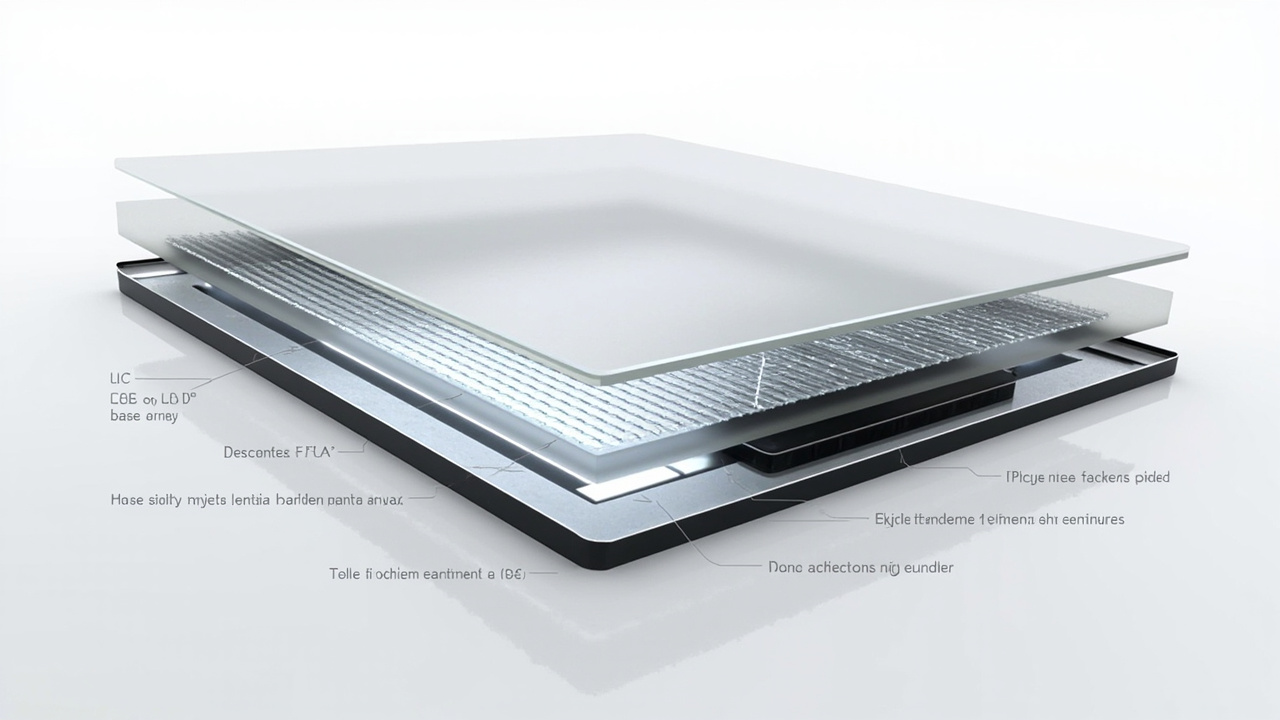
A spatial 3D display layers an optical element, display-side processing, and eye tracking on top of a conventional panel.
Eye tracking and viewer mapping
Eye tracking is what makes a spatial 3D display practical for a desk-bound viewer rather than a demonstration curiosity.
The tracking pipeline generally works as follows:
- Detection. One or more infrared cameras and structured-light illuminators locate the viewer’s eyes relative to the display.
- Position estimation. The display processor estimates the viewer’s head and eye position in real time.
- View remapping. The left-eye and right-eye subpixel patterns are dynamically adjusted so the stereoscopic sweet spot stays aligned with the viewer’s pupils.
- Handoff. When the viewer leans past the tracking range, the display either falls back to 2D or hands off smoothly to a wider, lower-density 3D zone.
The practical consequence: spatial 3D displays work best for a single primary viewer seated at a workstation, not for a crowd. Multi-viewer glasses-free 3D exists in the broader family but is a different product class.
Content compatibility and stereo sources
A spatial 3D display is only as useful as the content you can feed it. The hardware produces a depth illusion by presenting two offset views, so source material needs to carry stereo information.
Content types that work well:
- Side-by-side (SBS) stereo content produced for left/right eye delivery.
- CAD and 3D model viewers that can output stereo or SBS streams.
- Medical and industrial 3D exports such as DICOM-derived volume renders, CT, and 3D reconstruction outputs that support stereo output.
- Unity, Unreal, WebGL, and custom 3D applications configured with stereo camera rigs.
- Stereo-ready video pipelines built for left/right playback.
Content that often needs preparation:
- Ordinary 2D video and flat images, which carry no depth information.
- Software that only outputs a single 2D view with no stereo mode.
- Pre-rendered 3D that was captured or exported without preserving the left/right pair.
Because content compatibility is the single biggest gating issue for buyers, a common pre-purchase step is to verify that the viewer’s primary software stack can output stereo or SBS. Where that step is unclear, it is worth running a content compatibility check before committing to a model.
Workflow fit: where spatial 3D displays are used
Spatial 3D displays are positioned for professional review rather than entertainment. The recurring use cases in the category are:
- Medical visualization and education. Anatomy review, surgical case discussion, and teaching scenarios where shared, glasses-free 3D observation matters.
- Industrial inspection and NDT. Review of CT scans, defect reconstructions, and QA imagery where depth perception adds interpretive value.
- CAD and design review. Evaluating 3D models, assemblies, and architectural geometry with a reviewer rather than a single headset wearer.
- Microscope collaboration. Glasses-free 3D microscope workflows where multiple specialists need to view the same depth-correct image.
- Showrooms, demos, and education spaces. Prepared 3D content presented to visitors without asking them to put on equipment.
The shared theme is that the workflow stays monitor-native. A reviewer can switch from a normal 2D spreadsheet or email view to a 3D inspection view without leaving the desk, which is the structural difference versus VR-based 3D review.
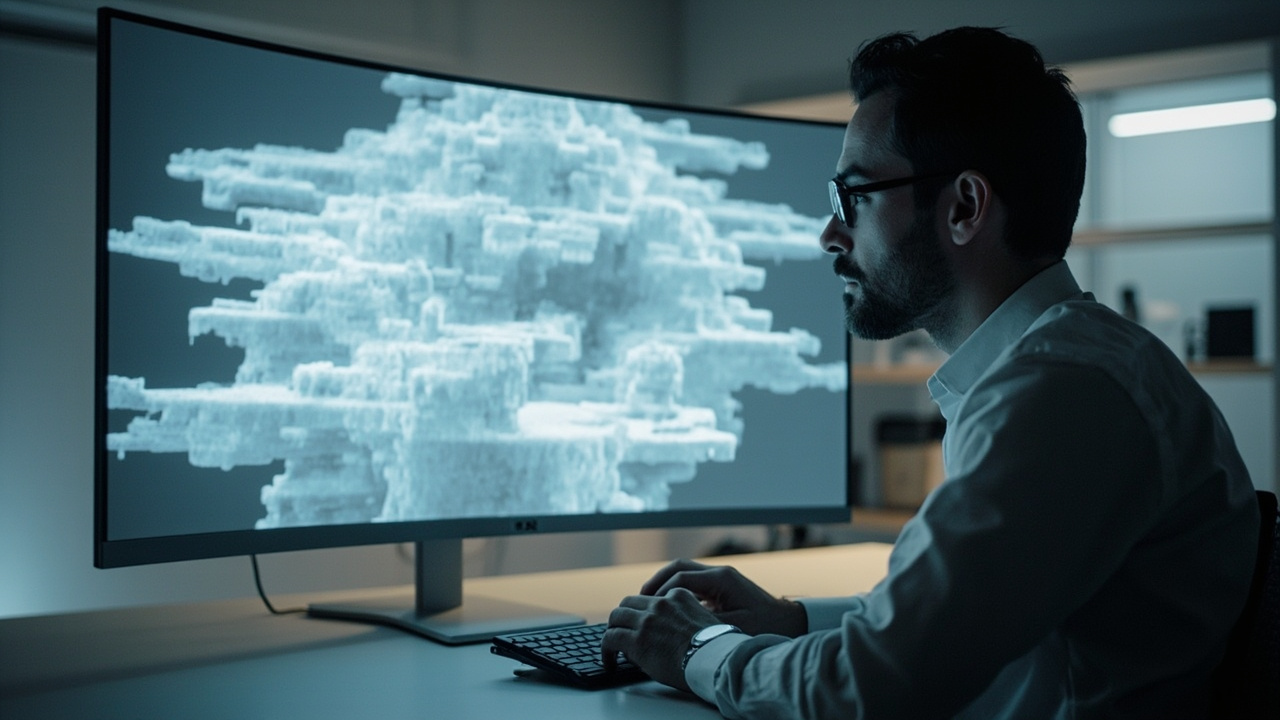
Spatial 3D displays are most commonly deployed in single-viewer professional review workflows such as medical, industrial, and CAD review.
Limitations and tradeoffs to evaluate
A balanced read of the category requires acknowledging the tradeoffs, not just the benefits.
- Single-viewer sweet spot. Most spatial 3D displays are tuned for one primary viewer. Multi-viewer glasses-free 3D exists but is a different product class with its own resolution tradeoffs.
- Resolution split in 3D mode. Because the panel renders two views, perceived per-eye resolution is lower than the panel’s headline 2D resolution.
- Source content dependency. The 3D effect depends on stereo-capable source material. Flat 2D content does not become 3D.
- Viewing range and posture. The eye-tracked sweet spot works within a defined range. Viewers who frequently move out of that range may experience handoff artifacts or fall back to 2D.
- Non-touch interaction model. Current spatial 3D display models in this category are generally positioned as non-touch review displays. Touch assumptions should not be carried over from interactive display product lines.
- Category terminology confusion. “Spatial 3D” is sometimes used loosely in marketing to mean stereoscopic, holographic, light-field, or VR. The glossary reference on 3D display terminology is useful for separating these terms.
For a broader look at glasses-free tradeoffs in collaborative review settings, the 3D Without Glasses: Technical Explainer covers the workflow-level considerations.
Choosing a spatial 3D display: selection criteria
For buyers comparing models, the following criteria are the ones that tend to drive fit:
- Viewing setup. Single dedicated workstation, shared review room, or portable mixed-use setup. This drives screen size, eye-tracking range, and Pro vs Essential framing.
- 2D / 3D mix. How much of the day is spent in normal 2D work versus 3D review. Mixed-use buyers typically lean toward Pro models with strong 2D / 3D switching.
- Content pipeline. Whether the buyer’s primary software outputs stereo or SBS content natively, and whether a compatibility check has been run.
- Eye-tracking behavior. The size of the tracked zone, handoff quality when the viewer moves, and fallback behavior at the edges of the range.
- Optical layer tradeoffs. Lenticular versus parallax barrier implications for brightness, crosstalk, and viewing angle.
- Integration. Mounting, desk footprint, and how the display fits alongside existing monitors, instruments, or imaging systems.
- Vendor and ecosystem support. Availability of a content compatibility path, a display selector, and a pre-purchase question channel.
A buying-oriented companion to this explainer is the Spatial 3D Display Buying Guide, which applies these criteria in a purchase-decision context.
Next steps and resources
For teams evaluating the category, a reasonable sequence is:
- Confirm that the primary source content can output stereo or SBS.
- Identify whether the use case is single-viewer review or shared-room observation.
- Compare model classes using the selection criteria above rather than headline panel specs alone.
- Where possible, validate a representative 3D asset on the target display before scaling the deployment.
Related technical background on this site:
- Autostereoscopic Display: Technical Explainer
- Autostereoscopy: Technical Explainer
- Parallax Barrier Display: Technical Explainer
- 3D Display Screen: Technical Explainer
- 3D Without Glasses: Technical Explainer
- What Is A Three Dimensional Display Called
- Spatial 3D Display Buying Guide
This article is maintained as third-party editorial coverage. Specifications, pricing, certifications, and availability for any specific spatial 3D display model should be verified against the manufacturer’s current documentation before any purchase or deployment decision.
Ready to explore 3D displays?
Browse our detailed comparisons and buying guides to find the right spatial display for your workflow.
View Best 3D MonitorsDisclosure: This article is part of 3DMonitor.net's educational content. Product recommendations are based on research and may contain affiliate links. See our full disclosure.