Stereoscopic Displays: Technical Explainer
An objective third-party technical explainer covering what stereoscopic displays are, how stereoscopy differs from autostereoscopy, common delivery methods, and workflow considerations for glasses-based 3D review setups.
Stereoscopic displays are a category of 3D display technology that produces the illusion of depth by delivering separate left-eye and right-eye images to the viewer. Unlike autostereoscopic displays, which attempt to do this without eyewear, stereoscopic displays rely on the viewer wearing glasses or using a compatible headset to separate the two views. This explainer covers the technical principles behind stereoscopic displays, the common delivery methods, the source content they require, and the workflow tradeoffs buyers and evaluators should understand.
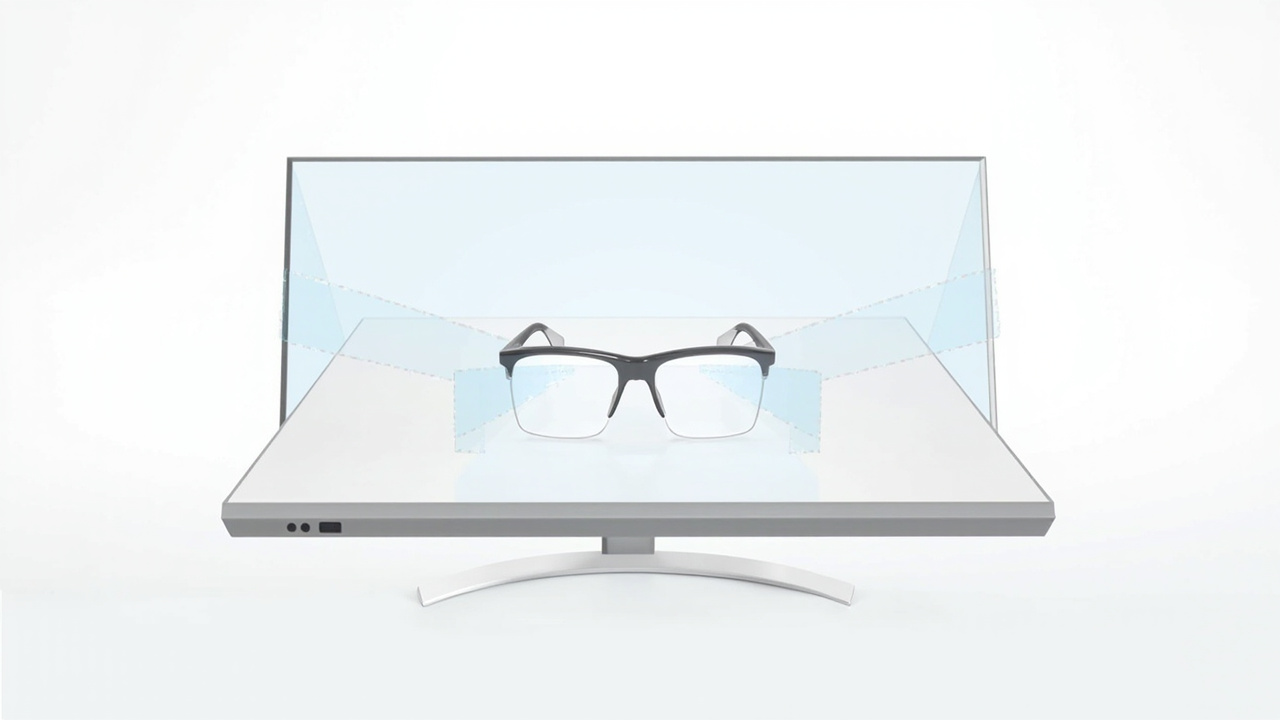
A stereoscopic display sends two slightly different images to the left and right eyes so the viewer’s brain fuses them into a single image with perceived depth.
What is a stereoscopic display?
A stereoscopic display is any display system that presents two slightly different images, one intended for the left eye and one for the right eye, so that the viewer’s visual system fuses them into a single image with perceived depth. The term “stereoscopic” comes from stereopsis, the biological process by which the brain combines the small horizontal difference between the two eyes’ views into a depth cue. A stereoscopic display is engineered to exploit that same cue artificially.
Stereoscopic displays have been used in cinema, scientific visualization, medical imaging, engineering review, and gaming for decades. They are distinct from:
- Autostereoscopic displays, which attempt to deliver the two views without eyewear.
- Holographic and light-field displays, which attempt to recreate a more complete 3D light field rather than just two stereo views.
- Volumetric displays, which illuminate points within a physical volume rather than relying on binocular cues.
For a glossary framing of how these terms relate, see What Is a Three-Dimensional Display Called.
How stereoscopic displays differ from autostereoscopic displays
The single most important distinction for buyers is the eyewear requirement. A stereoscopic display requires the viewer to wear glasses, goggles, or a headset. An autostereoscopic display attempts to deliver the two views without any eyewear, using optics such as a parallax barrier or a lenticular lens array in front of the panel.
Practical implications of this distinction include:
- Viewer count. Stereoscopic systems typically support one viewer per shutter event or per polarized pass, depending on the method. Autostereoscopic systems typically support a small number of defined viewing zones, often tied to where the eye-tracking system places the viewer’s head.
- Hygiene and shared use. Glasses-based systems require cleaning, fitting, and sometimes replacement. Glasses-free systems remove that operational step but introduce their own constraints, such as the need to stay positioned inside a defined sweet spot.
- Color and brightness. Many stereoscopic methods trade away some brightness or color fidelity because the glasses filter or alternate the light reaching each eye. Autostereoscopic displays lose brightness and resolution to the optical layer as well, but through a different mechanism.
- Comfort over long sessions. Some viewers find shutter glasses uncomfortable during long review sessions, particularly with active eyewear. Passive polarized glasses are generally lighter but introduce their own constraints on panel orientation.
For a deeper look at the glasses-free branch, see Autostereoscopic Display: Submethods and 3D Display Family and Autostereoscopy: Technical Explainer.
Common stereoscopic delivery methods
Several technical methods are used to separate left-eye and right-eye views in a stereoscopic display. The most common are:
Anaglyph
Anaglyph 3D uses color-filtered glasses, typically red and cyan, to send different images to each eye. It is inexpensive and widely compatible with existing 2D displays, but the color filtering causes significant color shift and eye fatigue. Anaglyph is rarely used in professional review workflows today.
Polarized stereoscopy
Polarized 3D uses glasses with lenses of different polarization orientations, often combined with a display that alternates polarization per row or uses dual projectors with polarizing filters. Passive polarized glasses are light, inexpensive, and battery-free. The method is widely used in 3D cinema and in some professional visualization setups. Resolution per eye is typically halved in row-interleaved designs, because each eye only sees half the panel rows.
Active shutter stereoscopy
Active shutter glasses darken one lens at a time in sync with the display, which alternates between left-eye and right-eye images at high refresh rate. This approach preserves full panel resolution per eye and works with a single display, but it requires battery-powered glasses, a synchronization signal, and a display with sufficient refresh rate to avoid flicker. Shutter glasses can be heavier and less comfortable than passive glasses.
Head-mounted display stereoscopy
A VR or stereo headset places two small displays, one per eye, directly in front of the viewer’s eyes. Each eye sees a separate image rendered from a slightly different camera position. This is technically a form of stereoscopic display, although it is usually discussed separately because the display surface and the optics are integrated into the headset rather than being a shared monitor. The tradeoffs differ from a monitor-based stereoscopic display in meaningful ways, including immersion, isolation, and multi-viewer collaboration.
Autostereoscopic display with tracked glasses (hybrid)
A small number of systems use an autostereoscopic panel combined with a beacon or tracked glasses that report the viewer’s position. This is a hybrid approach and is not the same as a true glasses-free autostereoscopic display. It is mentioned here because it is sometimes marketed alongside stereoscopic displays.
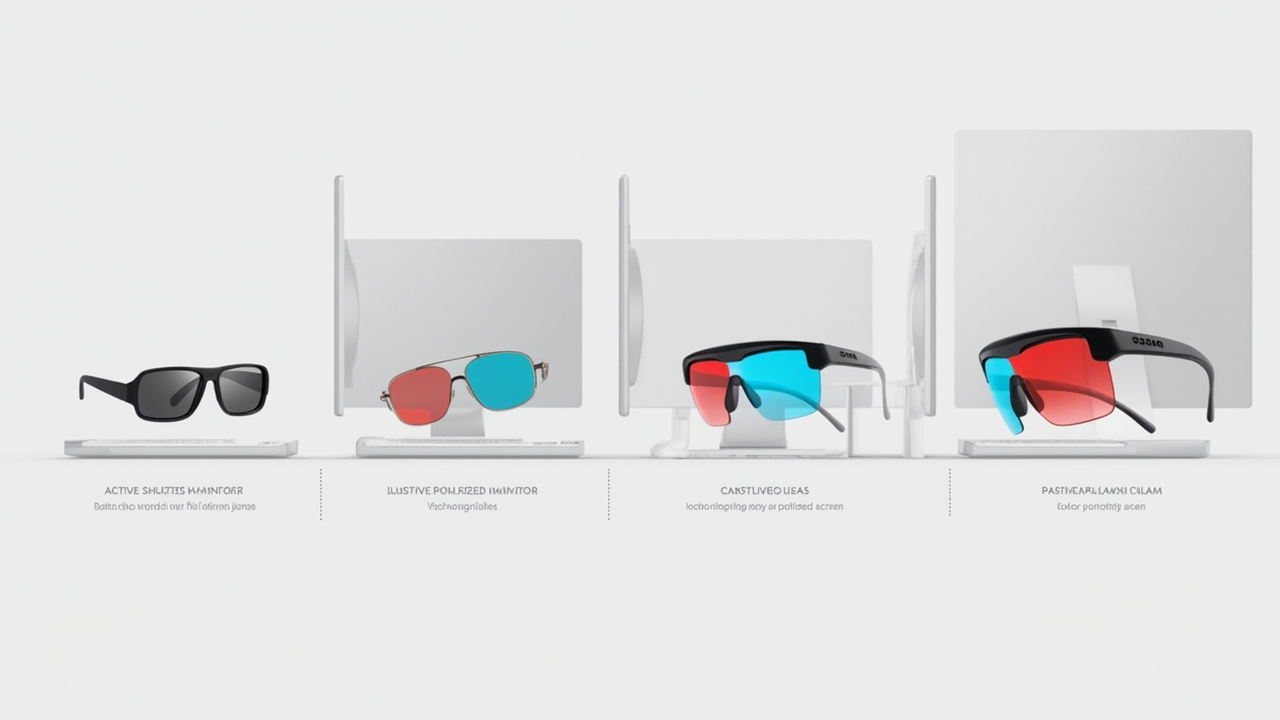
The three most common stereoscopic delivery methods: active shutter glasses, passive polarized glasses, and color-filtered anaglyph glasses.
How a stereoscopic display presents depth
Regardless of the delivery method, the underlying geometry is the same. The display shows two views of the same scene from camera positions separated by roughly the inter-pupillary distance of a human viewer, or about 6.3 cm. Each view is sent to the corresponding eye. The viewer’s visual cortex fuses the two images and interprets the small horizontal shift between matching features as depth.
This mechanism has several practical consequences:
- Convergence and focus mismatch. In the real world, the eyes converge on a point at a specific distance and the lens of each eye focuses at the same distance. On a stereoscopic display, the eyes converge on the apparent depth of the virtual object, but the lens still focuses at the physical distance of the screen. This convergence-accommodation conflict can cause discomfort, especially for content with strong depth.
- Effective depth budget. Most stereoscopic displays cannot push objects arbitrarily far in front of or behind the screen plane. Going beyond the comfortable range increases discomfort. The usable depth range depends on the panel size, viewing distance, and the disparity between the left and right views.
- Single-viewer sweet spot. Stereoscopic displays work best when the viewer is positioned at the design distance and roughly centered. Off-axis viewing can cause ghosting, crosstalk, or loss of the 3D effect.
Source content requirements
A stereoscopic display is only as good as the content shown on it. Common content formats that work with stereoscopic displays include:
-
Side-by-side (SBS) stereo. Two images packed into a single frame, one for each eye. SBS is widely supported and is the format most often used for stereo video and for some real-time 3D viewers.
-
Over-under and interlaced stereo. Variants of the same idea that pack both views into a single frame using row or column interleaving. These are common in broadcast-style 3D and in some legacy pipelines.
-
Native stereo rendering. Real-time engines such as Unity, Unreal, and many WebGL applications can render two views directly from a 3D scene. This is the highest-quality source for a stereoscopic display because the geometry is shared between the two views and the disparity is computed correctly.
-
CAD and 3D model viewers with stereo output. Some professional CAD and medical visualization tools can output stereo or SBS content. Buyers should check whether their existing software supports stereo output before assuming a stereoscopic display will fit their workflow.
-
Stereo photography and stereo video. Two cameras or a stereo camera rig can produce left-eye and right-eye streams that feed directly into a stereoscopic display.
Content that is not designed for stereo, such as ordinary 2D video or flat images, will display in 2D on a stereoscopic display. It will not be lifted into 3D automatically. Buyers who only have 2D content should consider whether a stereoscopic display adds value for their workflow, or whether a high-quality 2D display is the more honest choice.
Workflow fit and typical use cases
Stereoscopic displays fit workflows where:
- The viewer is a single specialist working at a fixed station, such as a radiologist reviewing CT scans, a CAD designer reviewing a model, or a researcher examining stereo microscopy imagery.
- The content is already produced or can be produced in stereo, including SBS, native stereo, or CAD/software with stereo output.
- The depth cue adds measurable value to the task, such as understanding spatial relationships, perceiving fine depth differences, or communicating 3D structure to a colleague sitting next to the viewer.
Stereoscopic displays are typically a weaker fit for workflows that require:
- Many viewers at once, such as classroom or showroom demonstrations.
- Long sessions where eyewear discomfort becomes a problem.
- Workflows with only 2D source content, where the glasses add friction without adding depth.
- Casual or consumer entertainment use, where the operational overhead is rarely justified.
Buyers evaluating stereoscopic displays alongside glasses-free alternatives can compare the tradeoffs in Spatial 3D Display: Technical Explainer and 3D Without Glasses: Collaborative Review Workflow Tradeoffs.
Limitations and tradeoffs
Stereoscopic displays have a well-known set of tradeoffs that buyers should weigh honestly:
- Eyewear required. The viewer must wear and maintain glasses or a headset. This adds friction, particularly for shared or walk-up use.
- Crosstalk and ghosting. Imperfect separation between left and right views can cause one eye to see a faint version of the other eye’s image. This is sometimes called ghosting.
- Limited viewing position. Off-axis viewing can degrade or eliminate the 3D effect.
- Refresh rate and flicker. Active shutter systems need high refresh rates to avoid perceived flicker.
- Content pipeline. Stereo content has to be produced or rendered. Not all software supports stereo output.
- Convergence-accommodation conflict. Strong stereo depth can cause discomfort during long sessions.
For a discussion of the broader disadvantages that apply to many 3D display categories, see What Are the Disadvantages of 3D Screens.
How to evaluate a stereoscopic display
Buyers comparing stereoscopic displays should look at the following points, keeping in mind that specifications vary widely and that independent verification is important before any purchase decision:
- Delivery method. Active shutter, passive polarized, or anaglyph. Each has different implications for brightness, resolution, and comfort.
- Resolution per eye. A 4K panel running active shutter typically gives 4K per eye. A row-interleaved polarized panel typically gives 2K per eye. Buyers should not assume the headline panel resolution applies to each eye.
- Refresh rate. Important for active shutter systems to avoid flicker. Standard 60 Hz is rarely sufficient.
- Glasses included. How many pairs ship with the display, whether replacements are available, and whether the glasses are compatible with prescription lenses if needed.
- Content compatibility. Which stereo formats are supported, whether the display accepts native stereo rendering, and whether there is a software ecosystem that supports the buyer’s existing tools.
- Panel size and viewing distance. Stereoscopic depth perception depends on the size of the panel and the distance at which the viewer sits. Manufacturer recommendations for viewing distance should be checked against the intended workspace.
- Comfort and ergonomics. Weight of the glasses, battery life for active systems, and the ability to wear them over prescription eyewear.
A practical selection walkthrough for stereoscopic monitors is available in How to Choose Stereoscopic 3D Monitor. Related buyer-guide coverage for adjacent form factors is in How to Choose 3D Monitor 32 Inch and How to Choose Portable 3D Monitor.
Next steps for readers
Stereoscopic displays occupy a specific branch of the 3D display family. They are a mature technology with clear strengths in single-viewer professional review, and clear weaknesses in shared, walk-up, or glasses-free scenarios. Readers deciding whether a stereoscopic display fits their workflow should:
- Confirm that their existing content can be produced or exported in stereo before committing to a purchase.
- Compare the glasses-based path against the glasses-free path using the linked explainers in this article, particularly the autostereoscopic and spatial 3D coverage.
- Test the specific delivery method (active shutter, polarized, headset) with a representative content sample before scaling up.
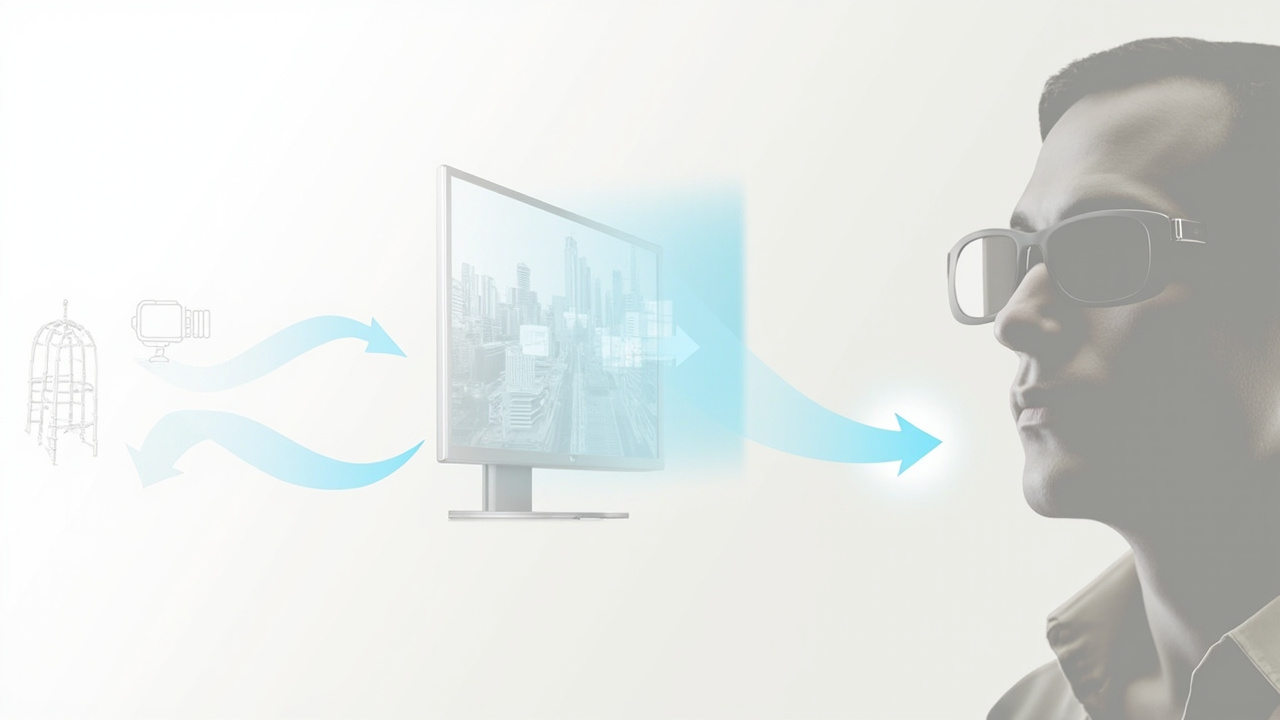
A stereoscopic workflow relies on source content rendered or captured as two views, delivered to the display, and separated to the correct eye by the glasses.
Ready to explore 3D displays?
Browse our detailed comparisons and buying guides to find the right spatial display for your workflow.
View Best 3D MonitorsDisclosure: This article is part of 3DMonitor.net's educational content. Product recommendations are based on research and may contain affiliate links. See our full disclosure.